Ranklify for WooCommerce: AI Product SEO Inside WordPress
By the Ranklify team · Published September 3, 2026

Ranklify for WooCommerce is a free WordPress plugin that generates and scores SEO-optimized product listings — titles, descriptions, bullet points, tags, and search-engine meta — without leaving your product editor. It connects to your Ranklify account on any plan, including the free one, and works alongside Yoast, Rank Math, SEOPress, or All in One SEO. It is live on WordPress.org today.
Install it in two minutes
Add it from your WordPress dashboard (Plugins → Add New → search “Ranklify”), or get it straight from WordPress.org.
Install from WordPress.org →Why we built it
WooCommerce gives you full control of your store — which means the SEO is yours to write. For one product that is fine. Across a catalog of dozens or hundreds, writing a unique, keyword-aware title, description, and meta for every SKU is the job nobody finishes. Most stores ship products with the manufacturer’s copy, a one-line description, and an empty meta field — and then wonder why the pages don’t rank.
Ranklify already does this for sellers on the web app. The plugin brings the same engine inside WordPress, so the optimized listing is one click away from where you actually edit products.
Write listings inside your product editor
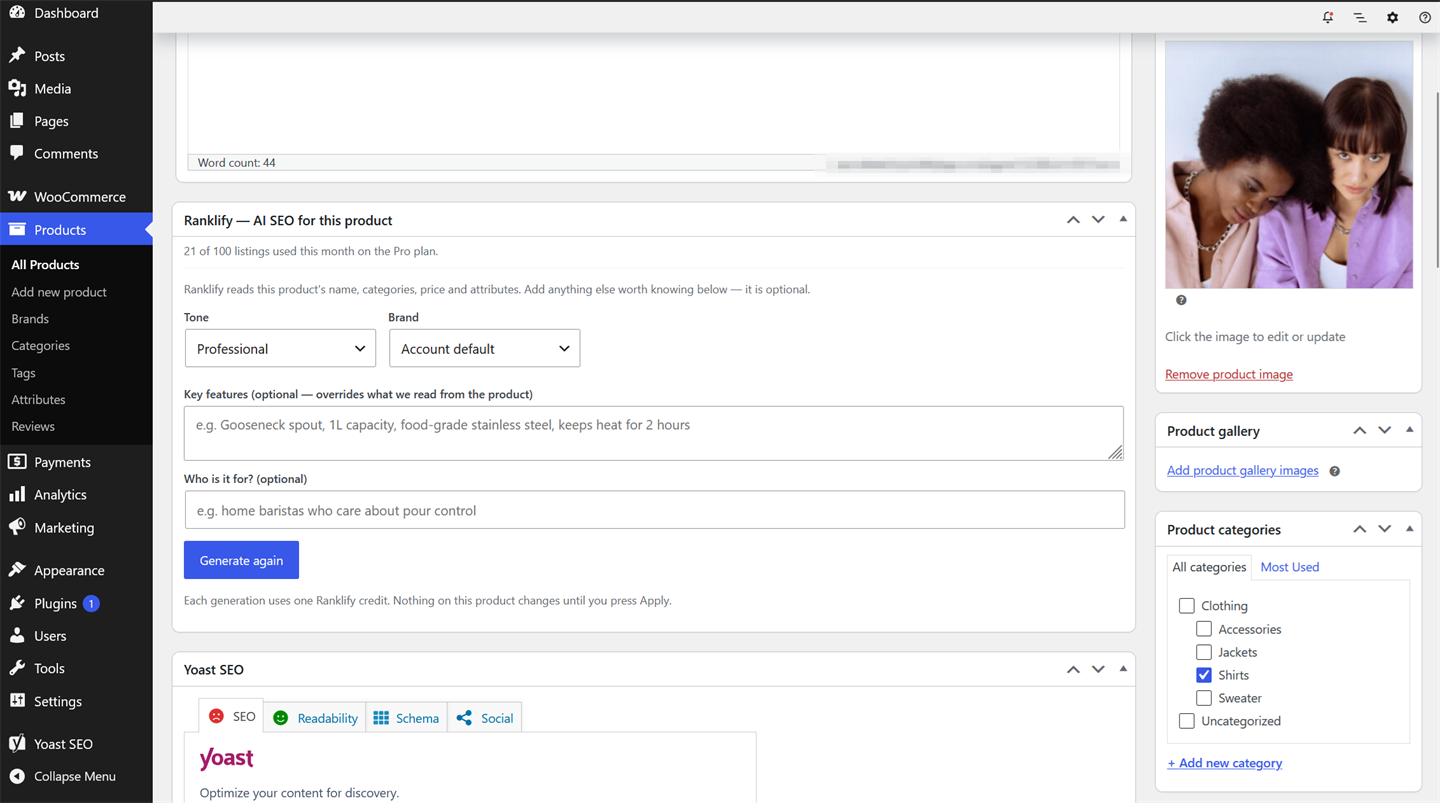
Open any product and you get a Ranklify panel right below the WooCommerce data. Pick a tone and brand voice, add the key features and who the product is for, and press Generate. Ranklify writes the full listing against WooCommerce’s own ranking rules — no switching tabs, no copy-paste.
Every listing comes with a score
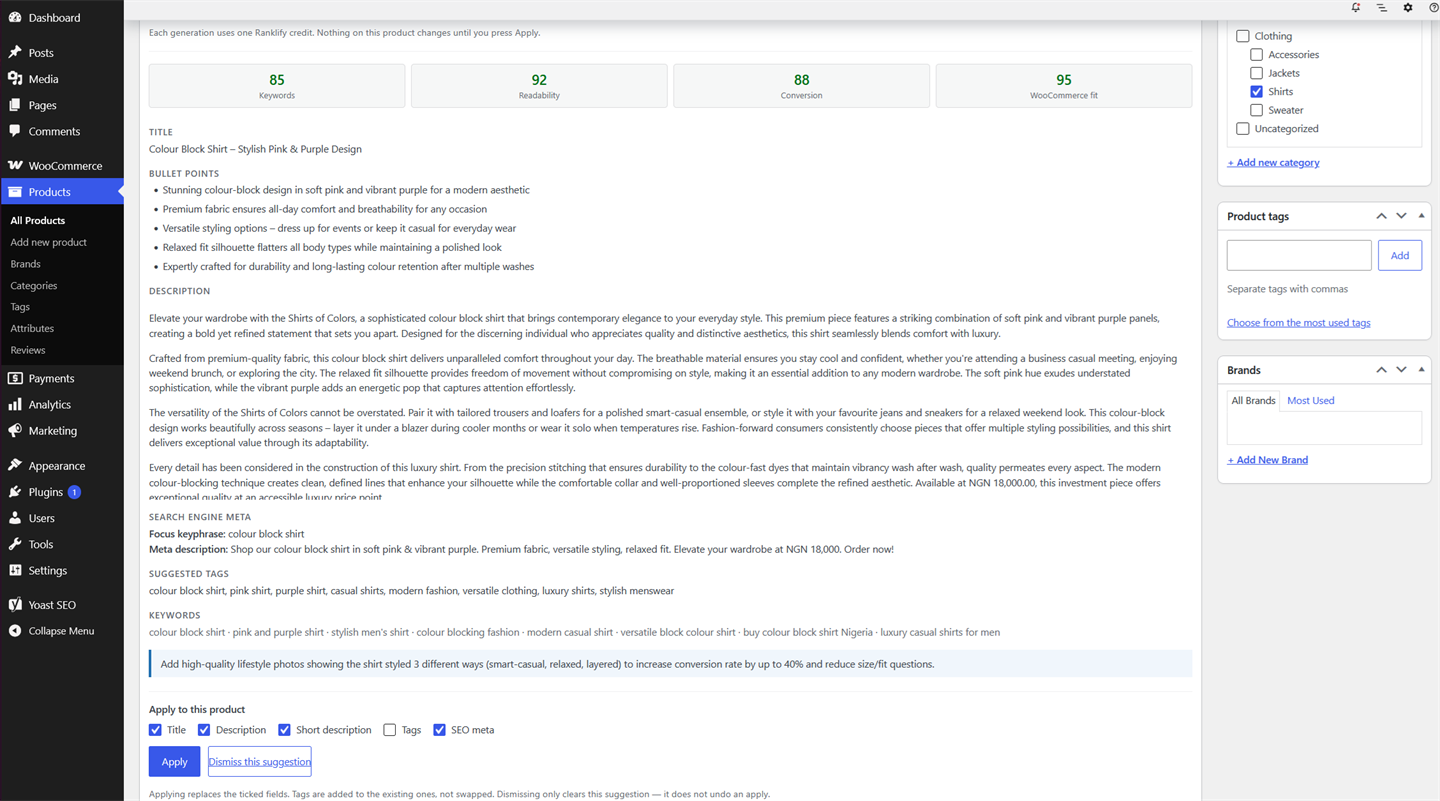
Ranklify doesn’t just generate copy — it grades it. Each result is scored on keywords, readability, conversion, and WooCommerce fit, so you can see why a listing is strong before you publish it. You get an optimized title, description, bullet points, a search-engine meta description, suggested tags, and target keywords — each with its own Apply checkbox. Nothing on your product changes until you press Apply, and any change is one click to undo.
Optimize your whole catalog at once
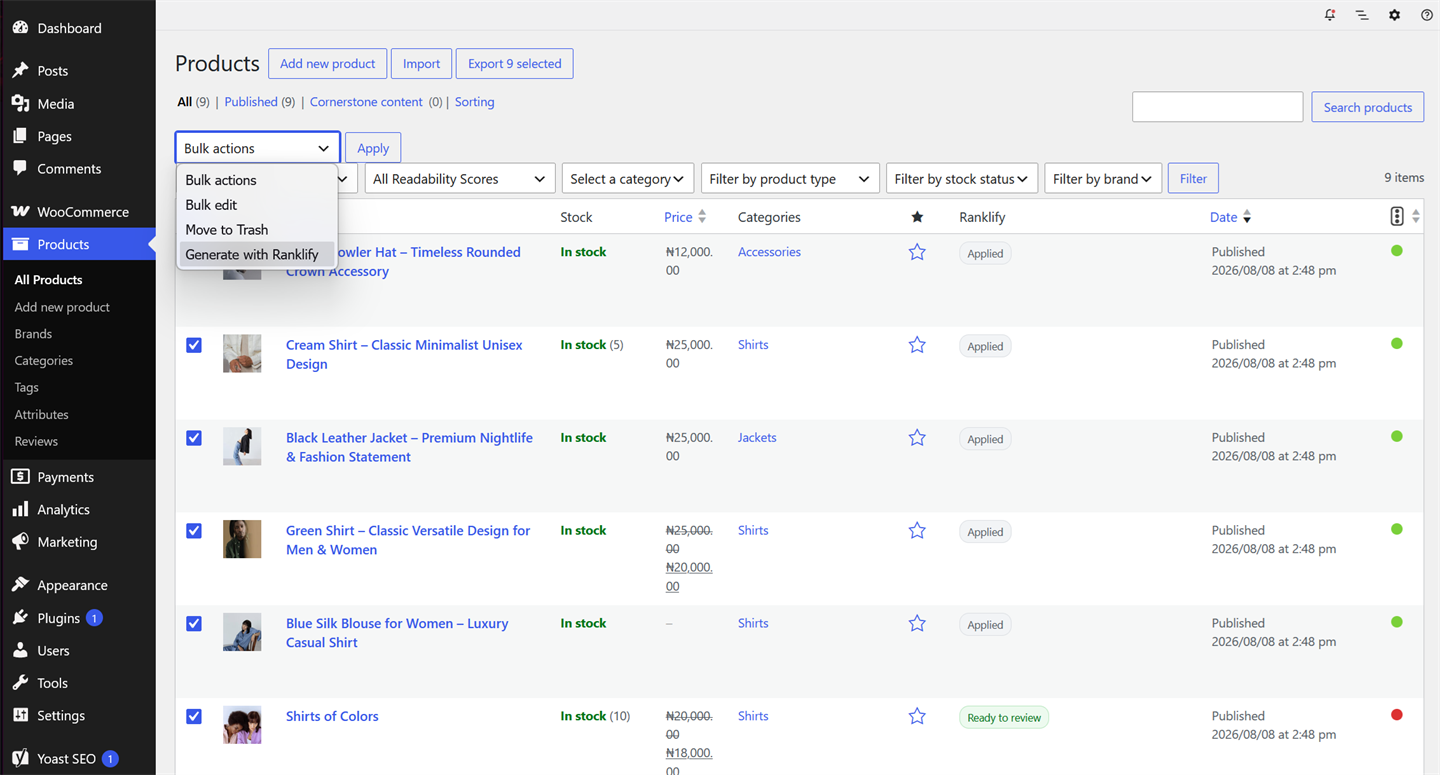
Editing products one at a time is fine for a handful. For a real catalog, select products in the WooCommerce Products list, choose Generate with Ranklify from Bulk actions, and let it work through them — a Ranklify column shows what’s been applied and what’s ready to review. Bulk generation is available on the Pro and Agency plans; on the free plan you generate one product at a time from the editor.
Connect once — free on every plan
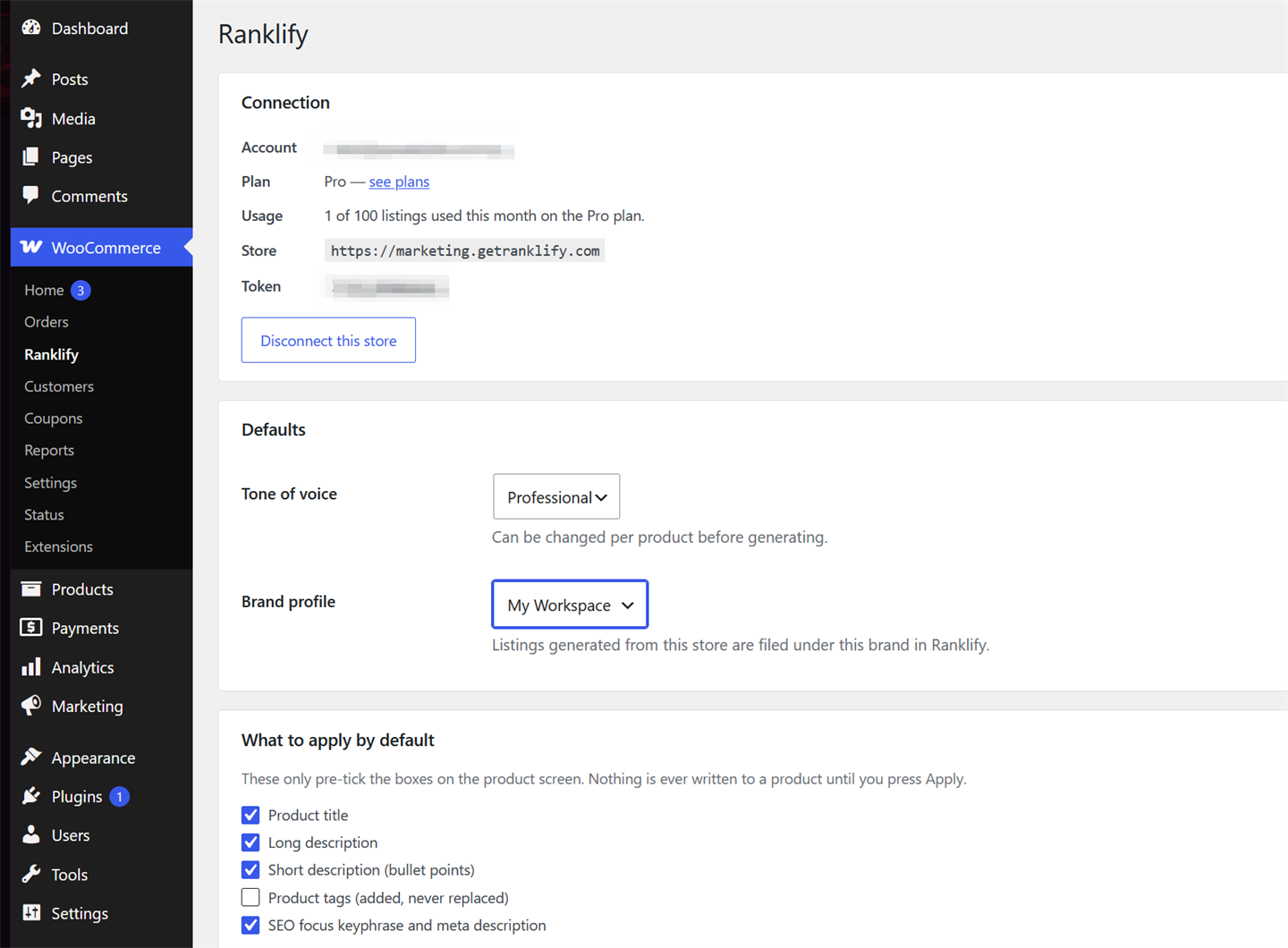
Connecting is free and works on every Ranklify plan, including the free one. Paste your token in the plugin settings and you’re linked — the panel shows your plan and how many listings you’ve used this month. Each listing you generate uses one credit from your monthly Ranklify allowance (the free plan includes 3 per month), so the plugin never charges you separately.
Works with the SEO plugin you already run
Ranklify detects Yoast, Rank Math, SEOPress, and All in One SEO and writes the SEO title and meta description into the correct fields for whichever one is active — so the output lands where your theme and sitemap expect it, not in a duplicate box. Don’t run an SEO plugin? Ranklify still writes clean titles and meta for the product. And because every applied change has one-click undo, trying it on a live product is safe.
How to get started
Three steps, about five minutes:
- Install Ranklify for WooCommerce from your dashboard (Plugins → Add New → search “Ranklify”) or from WordPress.org.
- Create a free Ranklify account if you don’t have one, and copy your connection token into the plugin settings.
- Open a product, press Generate, review the scores, and Apply the fields you want.
Get the plugin
Install Ranklify for WooCommerce free and start optimizing products from your own dashboard. New to Ranklify? A free account includes 3 listings a month, no card required.
Install from WordPress.org →Want the strategy behind the tool? Read our complete WooCommerce SEO guide, try the WooCommerce product description generator in the browser, or see what each plan includes on pricing.
Frequently asked questions
Is the Ranklify for WooCommerce plugin free?
Yes. The plugin is free to install from WordPress.org and connects to your Ranklify account on any plan, including the free plan (3 listings per month). Each listing you generate uses one credit from your monthly Ranklify allowance — the plugin does not add a separate charge.
Do I need Yoast or another SEO plugin to use it?
No. Ranklify works on its own, but it also detects Yoast, Rank Math, SEOPress, and All in One SEO and writes the SEO title and meta description into the right fields for whichever one you run, so nothing is duplicated or overwritten by accident.
Will it overwrite my existing product content?
Not unless you choose to. Ranklify generates a draft and shows it to you with per-field Apply checkboxes — nothing on the product changes until you press Apply. If you do apply a change and want it back, one-click undo restores the previous version.
What can the plugin write for a product?
A full listing: an SEO-optimized product title, long description, bullet points, a search-engine meta description, and suggested product tags — each generated against your chosen tone and brand, and scored for keywords, readability, conversion, and WooCommerce fit before you apply it.
Does bulk generation work on the free plan?
Bulk generation — running Ranklify across many products at once from the Products list — is available on the Pro and Agency plans. On the free plan you can generate one product at a time from the product editor, up to your monthly credit allowance.
Try Ranklify free
Ranklify writes and scores optimized product listings for Amazon, Shopify, and WooCommerce in about 30 seconds. Free on every plan — no card required.
Start free — 3 listings/month